
AxMath
Professional Mathematical Formula Editor & Scientific Calculator
A powerful professional mathematical formula editor with integrated scientific calculation capabilities, providing complete mathematical expression solutions for mathematicians, educators, and students.
Features & Highlights
AxMath provides comprehensive mathematical formula editing and scientific calculation capabilities to meet all professional user requirements
Professional Editing & Typesetting
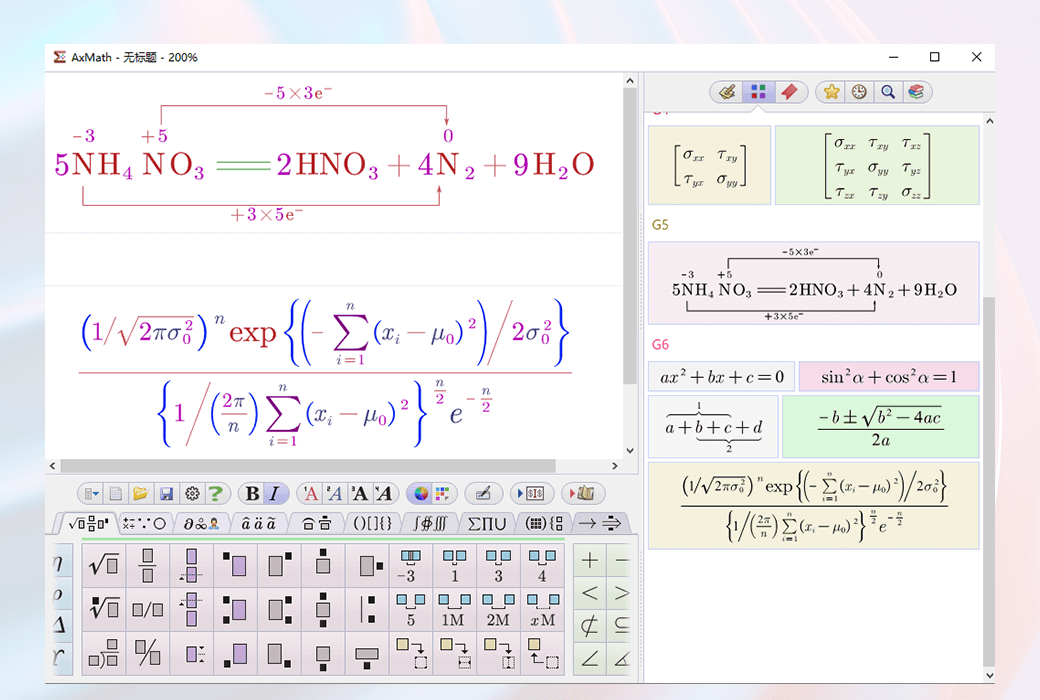
Provides graphical typesetting layout settings with support for multiple input methods including point-and-click input, keyboard shortcuts, script input, as well as handwriting and screenshot intelligent recognition (OCR) functionality, making mathematical formula editing more efficient and convenient.
Powerful Scientific Calculation
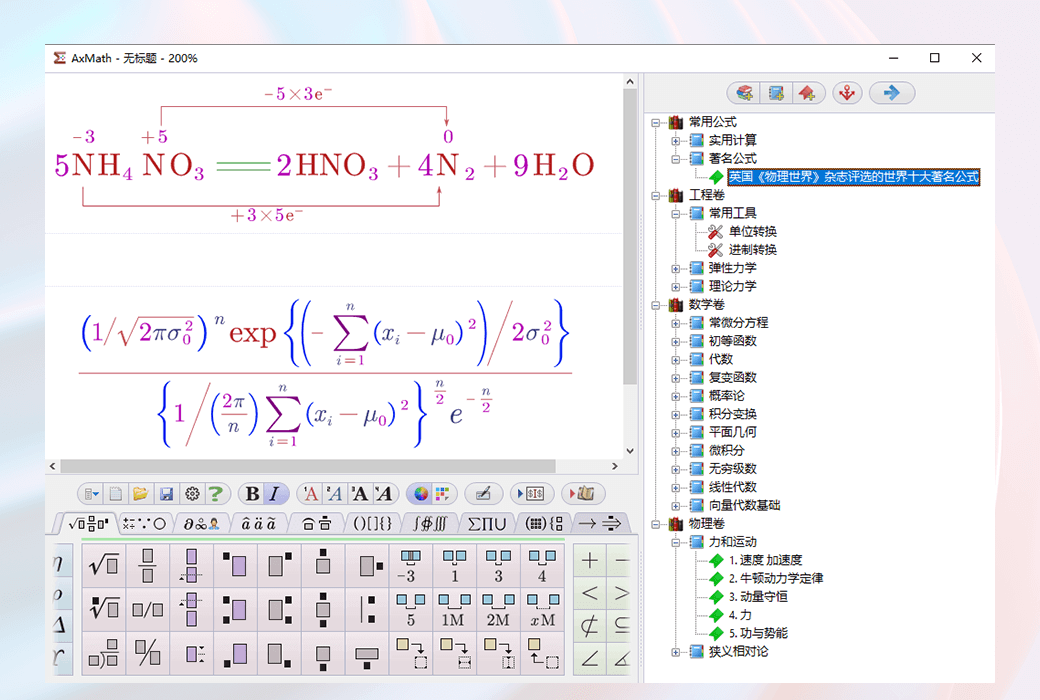
Based on a WYSIWYG formula calculation engine, supports variable and constant definitions, calculation processes can be saved as computable documents, covering basic operations, trigonometric functions, and various mathematical functions.
Multi-format Output
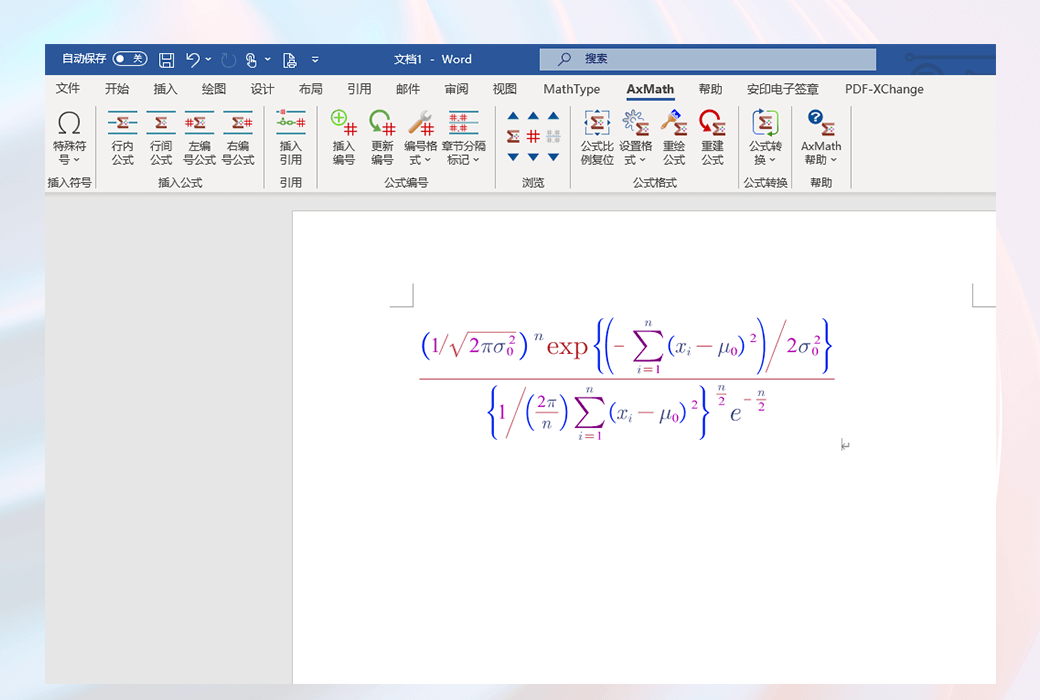
Supports object embedding functionality, can be used as a plugin for MS Word and other text software, while providing vector image output and multiple common image format export options.
Software Screenshots
Intuitively understand AxMath's powerful features and elegant interface
Choose Your AxMath License
One-time license with lifetime maintenance updates! Supports reinstallation on the same computer.
Single User License
Dual User License
Team License
Complete Bundle
Best ValueGet AxMath + AxGlyph + AxCells single license bundle in one click
System Requirements
AxMath supports multiple operating systems and office software environments, providing you with the best compatibility experience
Operating Environment
- Windows 11
- Windows 10
- Windows 8, 7, Vista
OLE Embedding Support
- Microsoft Office
- WPS Office
Plugin Support
- WPS 2016~2025
- MS Office 2010-2024
- Microsoft Office 365